Table of Contents
Introduction
Starting a website sounds simple. Then you try to pick a hosting company.
Suddenly you are reading about RAM, CPU cores, NVMe storage, and bandwidth limits. And you still do not know which plan to choose.
Hostinger is one of the most popular hosting platforms in the world. And one of the biggest reasons is how much they include in a single account. Not just hosting. Also a website builder, business email, AI tools, and marketing features.
This Hostinger review 2026 walks you through everything in plain language. No tech jargon. No confusing comparisons. Just a clear picture of what you get, who each plan is for, and whether Hostinger is the right fit for you.
What Is Hostinger?
Hostinger is a web hosting company. At its most basic level, that means they give your website a home on the internet.
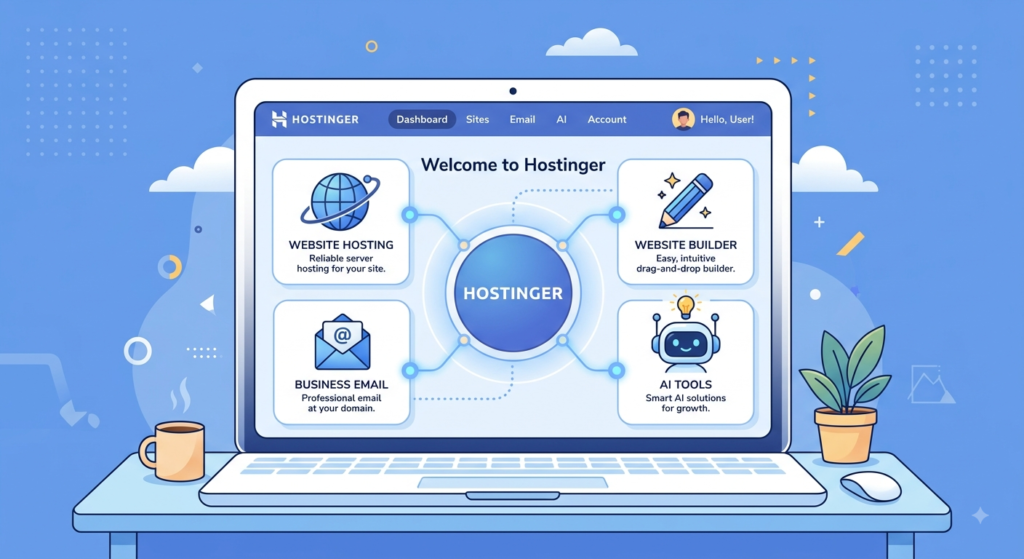
But Hostinger has grown far beyond just hosting. Today, you can build a complete online presence from inside one Hostinger account — including your website, professional email address, AI-powered tools, and email marketing campaigns.
That is unusual. Most hosting companies do one thing. Hostinger has built a full platform where everything works together.
Let’s go through each part.
Hostinger Plans at a Glance
Before we go into detail, here is a quick overview of the main hosting plans Hostinger offers.
| Plan | Best For | Key Numbers | Standout Feature |
|---|---|---|---|
| Web Hosting | Beginners, bloggers, small businesses | Varies by tier | Free domain + site migration |
| Cloud Hosting | High-traffic and growing sites | 100 websites · 200 GB NVMe · 6 GB RAM | Daily backups + dedicated IP |
| VPS Hosting (KVM 2) | Developers, technical users | 100 GB NVMe · 8 GB RAM · 8 TB bandwidth | Full server control |
| Agency Hosting | Agencies and freelancers | 200 websites · 500 GB NVMe | Site isolation + team access |
Let’s check the details of each plan below.
Web Hosting — The Starting Point for Most People
For most beginners, web hosting is the first product they need. It is the plan that puts your website on the internet.
Hostinger’s web hosting is designed for personal blogs, business websites, and online stores.
What you get:
- Free domain name — you do not need to buy your website address separately
- Professional business email — like yourname@yourbusiness.com, instead of a Gmail address
- Site migration handled for you — already have a website somewhere else? Hostinger will move it to their servers at no extra cost
- Personal, business, and eCommerce support — whether you are writing a blog or selling products, this plan covers it
- Weekly automatic backups — your website is saved automatically every week
- Easy data recovery — if something goes wrong, you can restore your website in just a few clicks
For most first-time website owners, this is the right place to start.
Hostinger 20%OFF→ Build New or Bring Your Existing Business Online Today.
Cloud Hosting — For Growing Websites
Once your website starts getting more visitors, you will need more power. That is what cloud hosting is for.
Hostinger’s cloud hosting is built for high-traffic websites that need strong, reliable performance.
What you get:
- Dedicated IP address — your website gets its own unique internet address, not shared with other sites.
- Daily automatic backups — your site is backed up every single day instead of every week.
- 100 websites — manage up to 100 different websites from one account.
- 200 GB NVMe storage — NVMe is a type of fast, modern storage. Think of it as a very quick hard drive for your website files.
- 6 GB RAM — more memory means your website stays fast even when many people visit at the same time.
- 5 CPU cores — more processing power for websites that do a lot of work in the background.
Cloud hosting is the natural next step when your blog or online store is growing and you need more stability.
VPS Hosting — For Developers and Power Users
VPS stands for Virtual Private Server.
Think of it like this. Web hosting is like renting a desk in a shared office. VPS hosting is like having your own private room in that building. You control everything in your room. No one else can touch it.
With VPS hosting, you get full control over your server. You can install any software you want and set up everything exactly the way you need it.
This is not for beginners. It is built for developers, technical users, and websites with very specific server needs.
What you get with the KVM 2 plan:
- KVM-based server — KVM is the technology that gives you complete, isolated control of your server environment
- 2 vCPU cores — dedicated processing power just for your account
- 8 GB RAM — strong memory for demanding applications
- 100 GB NVMe storage — fast, reliable storage for your files
- 8 TB bandwidth — your server can send and receive a very large amount of data each month
- Free weekly backups — your data is protected automatically
- Ready-to-use n8n automation templates — n8n is a tool that connects different apps and automates tasks. For example, it can automatically save new contact form entries into a spreadsheet without you doing anything.
If you are just starting out, skip this plan for now. Start with web hosting and upgrade to VPS when you actually need it.
Agency Hosting — For Freelancers and Teams
Do you build or manage websites for other people? Agency hosting is made for you.
This plan is designed for web designers, digital agencies, and freelancers who handle multiple client websites at once.
What you get:
- 200 websites — manage hundreds of client websites from a single Hostinger account
- 500 GB NVMe storage — plenty of space for large and complex projects
- 20 free mailboxes per website — free for the first year
- Full website isolation — each client’s website is completely separate. A problem on one client’s site will not touch any other client’s site
- Per-site access sharing — you can give each client (or team member) access to only their own website, not the whole account
- Priority 24/7 expert support — when you are managing professional client sites, fast help matters
This is a well-thought-out plan for anyone running a web services business.
Enjoying this guide? Subscribe to PaperPad for more beginner-friendly tutorials on hosting, AI tools, and building websites that work.
Website Builders — Build Without Coding
Do not want to use WordPress? No problem. Hostinger has its own website builders — and they are easy to use even if you have never built a website before.
Premium Website Builder
Designed for personal sites, small businesses, portfolios, and blogs.
What is included:
- AI-powered design tools to help you build faster
- A free domain name
- A professional business email
- Full eCommerce features — sell products directly from your site
- Up to 3 websites
Business Website Builder
Everything in the Premium plan, but bigger.
What is included:
- All the same tools as Premium
- Up to 50 websites
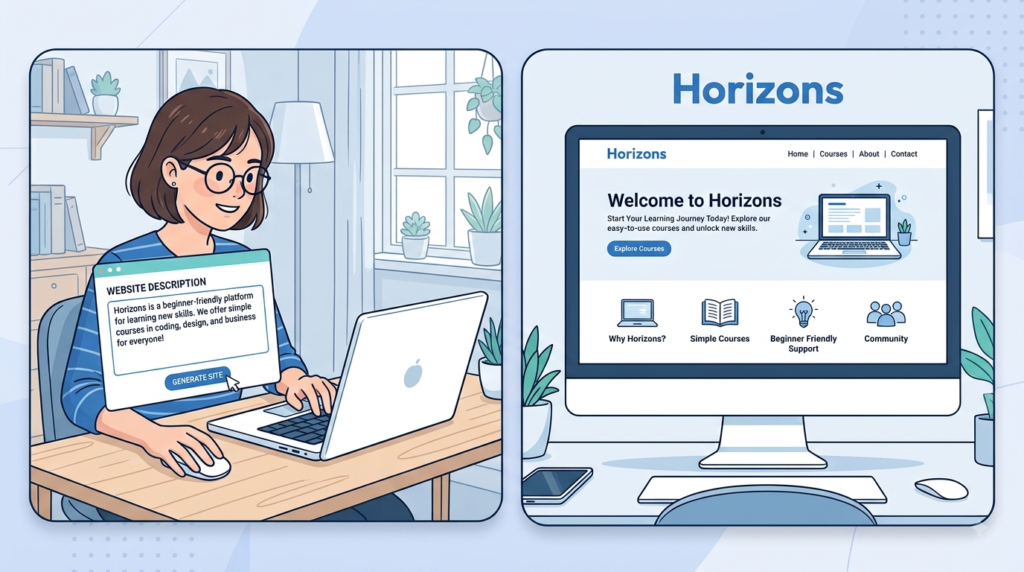
Horizons AI Builder — Describe It. Hostinger Builds It.
Horizons is the most impressive tool Hostinger has launched in recent years.
Here is how it works. You type a plain description of what you want. Something like:
“An online bakery with a menu, a booking form, and a contact page.”
Horizons builds the website for you. Automatically. No dragging. No dropping. No design decisions to make.
There is no coding required. There is no drag-and-drop required. You just describe your idea — and the website appears.
This genuinely opens up website creation to people who have always felt it was too technical or too expensive.
Hostinger Horizon Starter AI Website Builder 20% OFF
AI Tools Built Into Your Account
This is where Hostinger stands apart from most hosting companies. They have built AI tools directly into the platform — not as optional add-ons, but as part of the account experience.
Managed OpenClaw — Your AI Assistant
OpenClaw is an AI assistant that lives inside your Hostinger account. It handles tasks for you automatically, every day — including while you sleep.
What it does:
- Ready in 60 seconds — no long setup process
- Handles daily tasks around the clock — it works automatically, all day and night
- Zero maintenance — you do not need to manage or monitor it
- Connects to Telegram and WhatsApp — you can check in and manage things from your phone
- Built-in AI and web search — it can look things up and answer questions in real time
- Pre-configured email tools — it handles certain email-related tasks automatically
- Built-in security — it monitors and protects your account
Think of OpenClaw as a smart digital assistant that never stops working — and never takes a break.
AI Agents — 7 Specialized Helpers
Hostinger’s AI Agents Starter plan gives you 7 specialized AI agents. Each one is focused on a specific area of running a business — such as strategy, SEO, marketing, and sales.
What you get:
- 7 dedicated AI agents, each with its own focus area
- 100+ ready-to-use skills — each agent can complete dozens of different tasks straight away
- Connect to 1,000+ apps — your agents can work with the tools you already use in your business
- 1,000 credits per month — used to power your agents’ tasks
- Everything runs directly inside your Hostinger account — no extra software to install
New to the idea of AI agents and what they can do? This is a good place to start.
If you are new to AI, read our blog on AI Basics and learn what Artificial Intelligence is.
Business Email and Email Marketing
Premium Business Email
A professional email address makes your business look credible. With Hostinger’s business email, you get a domain-based inbox — for example, hello@yourbusiness.com instead of hello@gmail.com.
What you get:
- 50 GB of storage per mailbox — enough for years of emails
- Expandable storage — add more space if you need it later
- 50 forwarding rules — automatically send incoming emails to different people or folders
- 30 email aliases — use multiple email addresses (support@, info@, hello@) that all flow into one inbox
- Secure, ad-free inbox — no advertisements in your email
- Built-in spam protection — unwanted emails are filtered before they reach you
- Free domain included
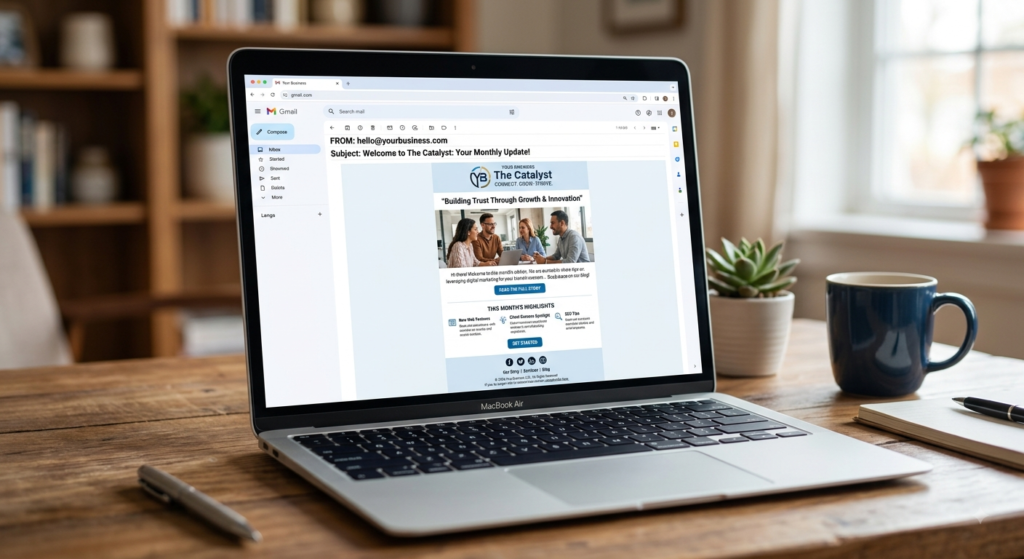
Email Marketing — Reach 1,000 Plan
If you want to send newsletters or promotional emails to your audience, Hostinger has a built-in email marketing tool called Reach.
What you get:
- AI-assisted tools to help you write and design professional email campaigns
- 1,000 unique subscribers per month
- 7,000 emails per month
- 5 free AI credits per month to help create content
- No Hostinger logo on your sent emails — your branding stays clean
- Auto-sync with the Website Builder — your subscriber list updates automatically when someone signs up through your site
For a new website owner just starting to grow an email audience, this is a straightforward and useful starting point.
Who Is Hostinger Best For?
Hostinger works well for a wide range of people. Here is a quick guide.
Hostinger is a great fit if you are:
- Building your first blog or personal website
- A small business owner who needs a professional online presence
- A freelancer or agency managing websites for clients
- Someone who wants a website builder that requires zero coding
- Looking for AI tools that are built in — not an extra monthly subscription
- Starting an online store on a budget
- Your site needs highly custom enterprise server infrastructure
For the vast majority of people starting or growing a website, Hostinger covers everything they need.
Pros and Cons of Hostinger
Pros:
- ✅ All-in-one platform — hosting, website builder, email, AI tools, and marketing in one place
- ✅ Beginner-friendly — simple setup, guided tools, and around-the-clock support
- ✅ Free domain name included with most plans
- ✅ AI tools are genuinely built in — not an upsell
- ✅ Horizons AI Builder is a genuinely new way to create websites
- ✅ Agency hosting with full site isolation is excellent for professionals managing multiple clients
Cons:
- ❌ VPS and cloud plans are too advanced for small personal sites — do not pay for power you do not need
- ❌ AI Agents and OpenClaw are most valuable once your business is already running — less useful on day one
- ❌ The Reach 1,000 email marketing plan has monthly subscriber limits — you will need to upgrade as your audience grows
Our Verdict
Hostinger has become one of the most complete hosting platforms available for beginners and small business owners.
This Hostinger review 2026 has covered a lot of ground. But the key point is simple: Hostinger gives you tools that most hosting companies charge separately for. A website builder. Business email. AI tools. Email marketing. All available from one account.
For anyone starting a new website — whether it is a personal blog, a small business, or a freelance agency — Hostinger gives you more out of the box than almost any other host at a comparable price.
Ready to get started? [Join Now! → Hostinger]
FAQ’s
-
What is Hostinger used for?
Hostinger is a web hosting company that gives your website a home on the internet. They also offer website builders, business email, AI tools, and email marketing — so you can run a whole online business from one account.
-
Does Hostinger include a free domain name?
Yes. Most Hostinger plans come with a free domain name included. This means you do not need to buy your website address from a separate provider when you sign up.
-
Is Hostinger good for beginners?
Yes — Hostinger is designed with beginners in mind. Their web hosting plans include a free site migration, weekly backups, and a simple setup process. Their website builders require no coding at all. The Horizons AI builder goes one step further — you just describe your idea and it builds the site for you.
-
What is the Hostinger Horizons AI builder?
Horizons is Hostinger’s most advanced website builder. Instead of using drag-and-drop tools, you simply describe your website idea in plain language. Horizons builds it for you automatically — no design experience or technical skill needed.
-
Does Hostinger have business email?
Yes. Hostinger’s Premium Business Email gives you a professional email address using your own domain name. Each mailbox comes with 50 GB of storage, 30 email aliases, 50 forwarding rules, spam protection, and a secure ad-free inbox.
-
Which Hostinger plan should I start with?
Most beginners should start with Hostinger’s standard Web Hosting plan. It includes a free domain, business email, free site migration, weekly backups, and easy data recovery — everything you need to get a new website online. You can move to cloud or VPS hosting later, as your site grows.